A Conversational Copilot for AEM Translation Ops: DevHandler's MCP-Driven Prototype on Azure AI Foundry
By Yevhen Kliakhin | Published April 29, 2026
Enterprise translation operations in Adobe Experience Manager rarely fail because teams do not understand localization. They fail because the day-to-day mechanics stay procedural: finding the right content, locating or creating projects, confirming scope, starting jobs, and troubleshooting failures.
This article describes DevHandler's internal prototype for an AI-powered assistant focused on AEM translation workflows. The idea is practical: let operators describe translation work in natural language, then use the same conversational surface to explain what will happen and why.
The prototype is not positioned as a finished product. It explores an architecture direction built around Azure AI Foundry as the agent layer, a Backend-for-Frontend service, and MCP-based tools connected to AEM APIs and related Adobe cloud capabilities.
Why translation operations in AEM still feel heavier than they should
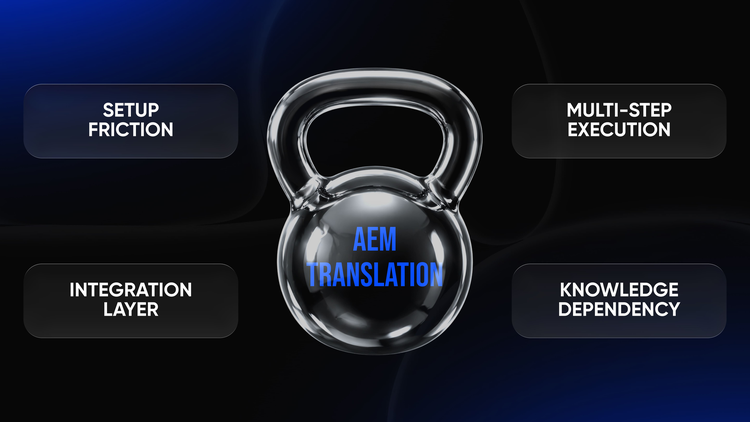
AEM has a strong translation feature set, including the translation integration framework, translation provider connections, and standard AEM Projects. In AEM as a Cloud Service, teams often create translation projects and jobs from a language master and selected language copies. Those mechanics are powerful, but they still require the operator to know where to start, which page is correct, and which configuration applies.
The friction usually comes from configuration, permissions, provider connectors, and scope decisions. A user may need the right group membership, the correct cloud configuration, valid provider credentials, and a clear answer to what content should or should not translate.
That is why translation in AEM can be feature-complete and still feel operationally heavy. The opportunity for an assistant is not to make translation magical; it is to reduce procedural load and turn system behavior into clear guidance.
The operational pain points that show up in real translation work
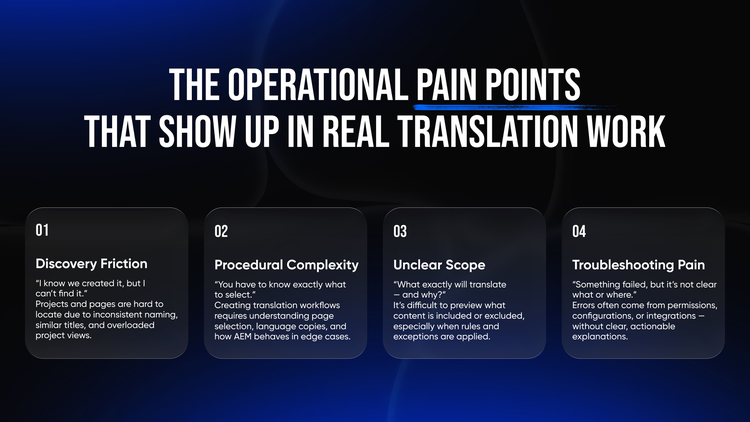
The first recurring pain point is discovery. Translation projects live in the Projects console, pages can share similar titles across sites or languages, and naming conventions are not always consistent. Operators often know a project should exist but cannot quickly find the right one.
The second pain point is execution knowledge. AEM can create projects, add resources, and start translation through authoring workflows, but the user still has to pick the right page, language copies, and child-page scope. If child pages use different translation configurations, the resulting project behavior can surprise users.
The third pain point is confidence. Teams frequently need to know which components, assets, legal text, SKUs, or product names will be included or excluded. The fourth pain point is troubleshooting: permission issues, provider authentication failures, path mismatches, and inconsistent project states need plain-language explanations rather than raw errors.
The initiative: a conversational assistant layer for translation operations
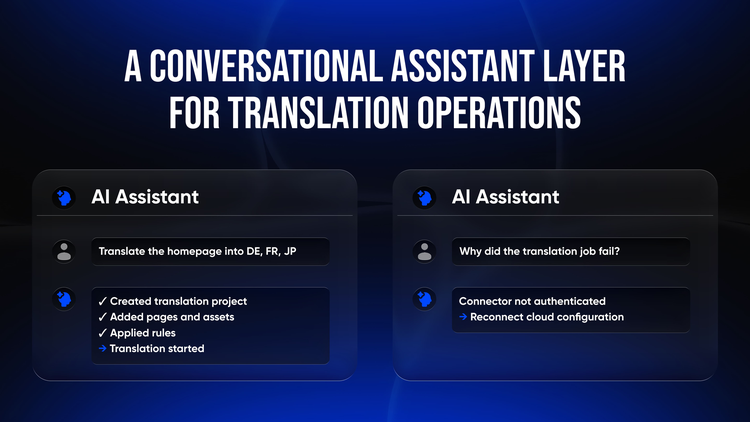
DevHandler's initiative treats AEM translation as a candidate for conversational ops. Instead of forcing users through every UI step, the assistant lets them ask for outcomes such as translating a campaign into several languages, finding a project, previewing exclusions, or explaining a failed job.
The assistant is designed to pair execution with explanation. It can trigger bounded translation actions through tools, but it also reports the interpreted page or project context, the rules that influenced scope, and the next best action when something fails.
The intended entry points are deliberately flexible: inside AEM UI for authors, inside a custom backoffice or chat app for operations teams, and inside collaboration channels such as Slack or Microsoft Teams for teams that need quick status checks or controlled job triggers.
Architecture direction: Azure AI Foundry, BFF, MCP tools, and AEM connectivity
The architecture direction has four practical layers. Azure AI Foundry hosts the conversational agent layer. A Backend-for-Frontend service shapes requests and responses for AEM UI, backoffice, Slack, or Teams. MCP-based tools define the executable contract. The connectivity layer integrates with AEM APIs and the relevant Adobe cloud infrastructure.
MCP matters because it creates a disciplined boundary between conversation and operations. The assistant cannot simply do anything; it can only call named tools with validated inputs, clear outputs, and predictable failure handling. That is essential for enterprise AEM environments where translation work touches content, permissions, provider credentials, and project state.
Azure AI Search and Azure Cosmos DB are optional supporting components rather than mandatory dependencies. Search can ground explanations in project metadata, runbooks, known errors, or documentation. Cosmos DB can store conversation context, operational telemetry snapshots, or assistant memory where that is appropriate.
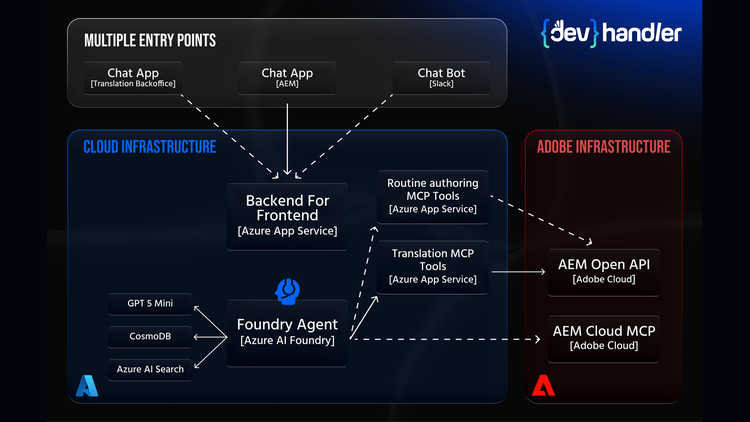
The important pattern is separation. Each entry point can have a different UI, but the operational contract remains consistent: intent comes in, the BFF routes it, the agent reasons over context, and bounded tools perform the AEM-facing work.
Key capabilities: what the assistant can do and why it's more than automation
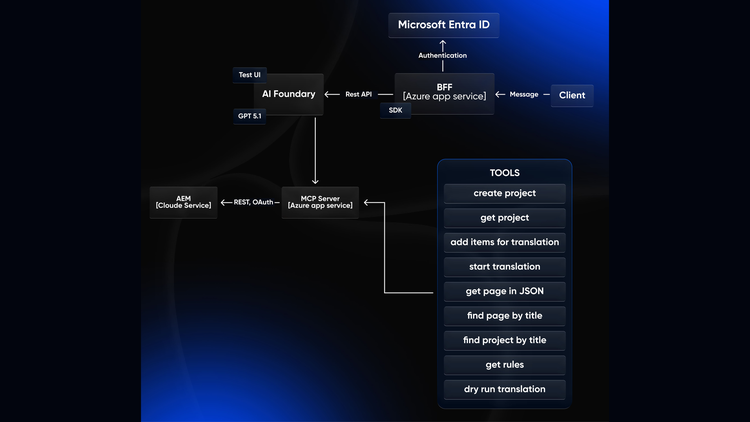
The prototype focuses on a deliberately bounded set of translation-operations tools. The goal is not to solve every AEM workflow in one step; it is to prove that common translation tasks can be expressed conversationally, checked safely, and executed through tool calls.
The currently supported actions in the initiative context include:
These tools are intentionally narrow. That makes the assistant easier to govern, easier to test, and easier to explain when a user asks what happened.
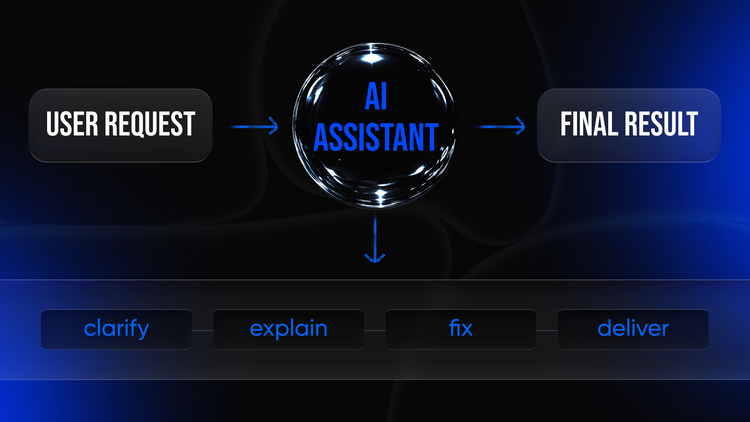
The design priorities are guided workflows, explainability, troubleshooting, and accessibility for non-specialist roles. In practice, that means the assistant should ask clarifying questions when multiple pages or projects match, return operator-grade explanations, and convert technical failures into next steps that a content or localization team can act on.
Practical workflow examples that reflect real ambiguity and real friction
A translation assistant is credible only if it behaves well in the messy middle: partial information, duplicate titles, unclear scope, and failures that require explanation. The examples below reflect those operating conditions.
Translating a page into multiple languages, with a sanity check before execution
A localization manager might ask: "Translate Home - Spring Campaign into French, German, and Japanese. Include child pages." The assistant should first resolve the page, return candidates if multiple sites match, and ask the user to choose before doing anything irreversible.
After selection, the assistant can retrieve the page JSON, confirm the language-master context, retrieve translation rules, and run a dry run. Only after the scope is clear should it create translation projects, add items, and start translation.
Checking whether page elements should be excluded from translation
A content author might ask whether a product SKU or legal footer should be translated. The assistant can inspect page structure, retrieve translation rules, and explain which elements are included or excluded and why.
The value is not simply that rules exist. The value is that the assistant makes their effect visible without requiring an operator to inspect configurations and component structure manually.
Finding an existing translation project when the user can't locate it
A program manager might ask whether a project for Spring Campaign - Wave 2 already exists. The assistant can search by project title, return candidates with created date, status, and language-copy context, then retrieve the selected project state.
This turns project discovery into a short guided exchange instead of a manual search through a crowded Projects console.
Debugging a failed "start translation" action
When a start-translation action fails, the assistant should not stop at "failed." It should summarize the issue in plain language, include technical details for support escalation, and suggest the next check, such as group membership, translation configuration, connector credentials, or retry conditions.
If the agent layer is operated through Azure AI Foundry, tracing becomes useful here because it can connect the user request, tool call, AEM response, and support evidence into one troubleshooting path.
Handling ambiguity between multiple pages or projects - without guessing
A request such as "Add Pricing to the translation project" is dangerous if several Pricing pages exist. The assistant should list candidates with path and site context, ask the user to choose, and only then add the item.
This conservative behavior is a core advantage of explicit tool contracts. If a tool requires a unique page path or project identifier, the assistant must resolve ambiguity or ask a question instead of silently guessing.
Implementation lessons and why this matters beyond translation
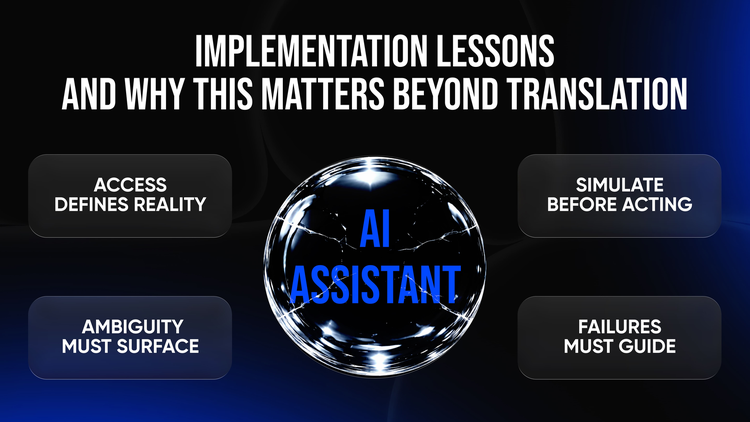
The credibility of an AI assistant in enterprise operations is determined more by its worst days than its best demos. Early translation prototypes naturally expose authentication errors, inconsistent project data, path mismatches, and weak operator feedback.
Authentication and authorization shape the whole experience. AEM operations depend on group membership and permissions, and integrations need secure programmatic authentication aligned with the environment and API model. Failures in this area must be explained as guidance, not dumped as raw stack traces.
Project resolution must be deterministic, dry runs must be central to trust, and error handling needs a designed taxonomy: what happened, who can fix it, and what evidence should be captured. Multi-entry-point support also needs discipline, because Slack, Teams, AEM UI, and backoffice views all have different payload and response constraints.
Why does this matter beyond translation?
Translation operations are a concentrated example of a broader AEM challenge: workflows are powerful but procedural, and the knowledge required to run them is often held by specialists.
A translation-focused assistant becomes a proving ground for a wider AI operational layer around AEM. The same pattern can support publishing checks, content audits, permission reviews, asset validation, safer tool-driven execution, and faster incident investigation when workflow execution is traceable.
Translation is a sensible starting point because it is frequent, repetitive, and often blocked by small operational issues that become costly in aggregate.
Read more: